
EasyDesk
06
EasyDesk
2019
EasyDesk: An administrative portal for store managers
For our final student project at the Flatiron UX Design Immersive, our goal was to create a dynamic customer feedback platform that helped cultivate an ethically sound work environment. Managers wanted to strive toward better understanding their employees, establishing relationships with those employees based on trust and mutual respect, and identifying various methods by which they could empower them to become more effective at their jobs. The goal of the platform was to generate greater customer satisfaction through employee empowerment.
Client:
Student Project
Role:
UX/UI Design
User Research
Visual branding
Timeline:
4 weeks
With:

Fig. 01 - Video Walkthrough
the user research
Our team started by researching our market niche and interviewing over 20 retail managers and employees. The primary insight we yielded was the importance of text accessibility, especially in terms of contrast. Additionally, the subject matter experts (SMEs) noted that the simple graphs and charts on a darker palette minimized digital eye strain.
the process
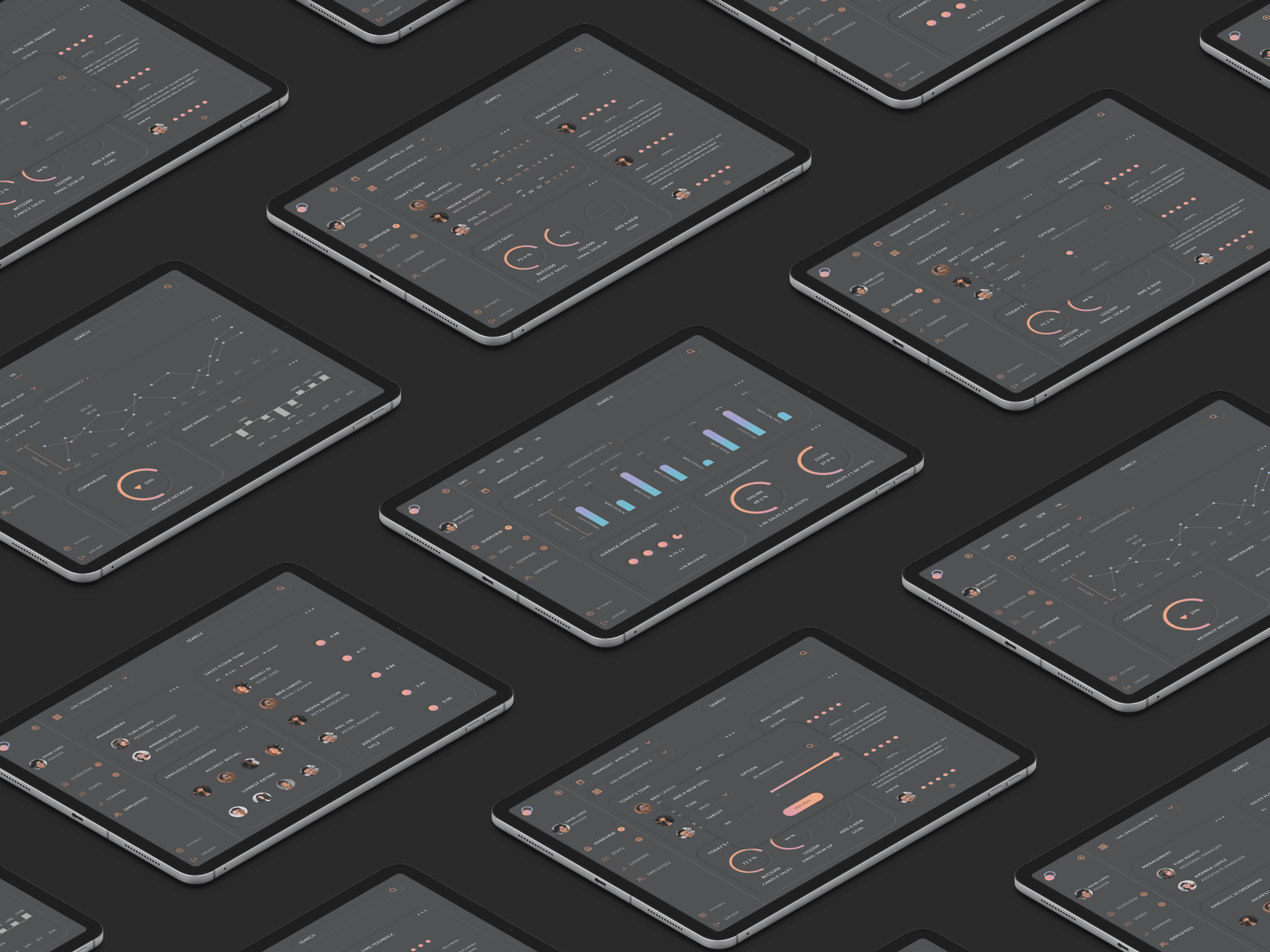
We built a simple navigational menu, allowing managers to shift gears with ease. Mangers were able to review team performance, check sales benchmarks, and identify bestsellers all within seconds. The data visualization was designed with clarity in mind. Clean shapes and vivid gradients highlighted information that helped managers excel at their work. A mobile and tablet first approach informed the design solution for EasyDesk. SMEs cited the convenience and portability of their mobile + tablet devices as a reason for their preference.
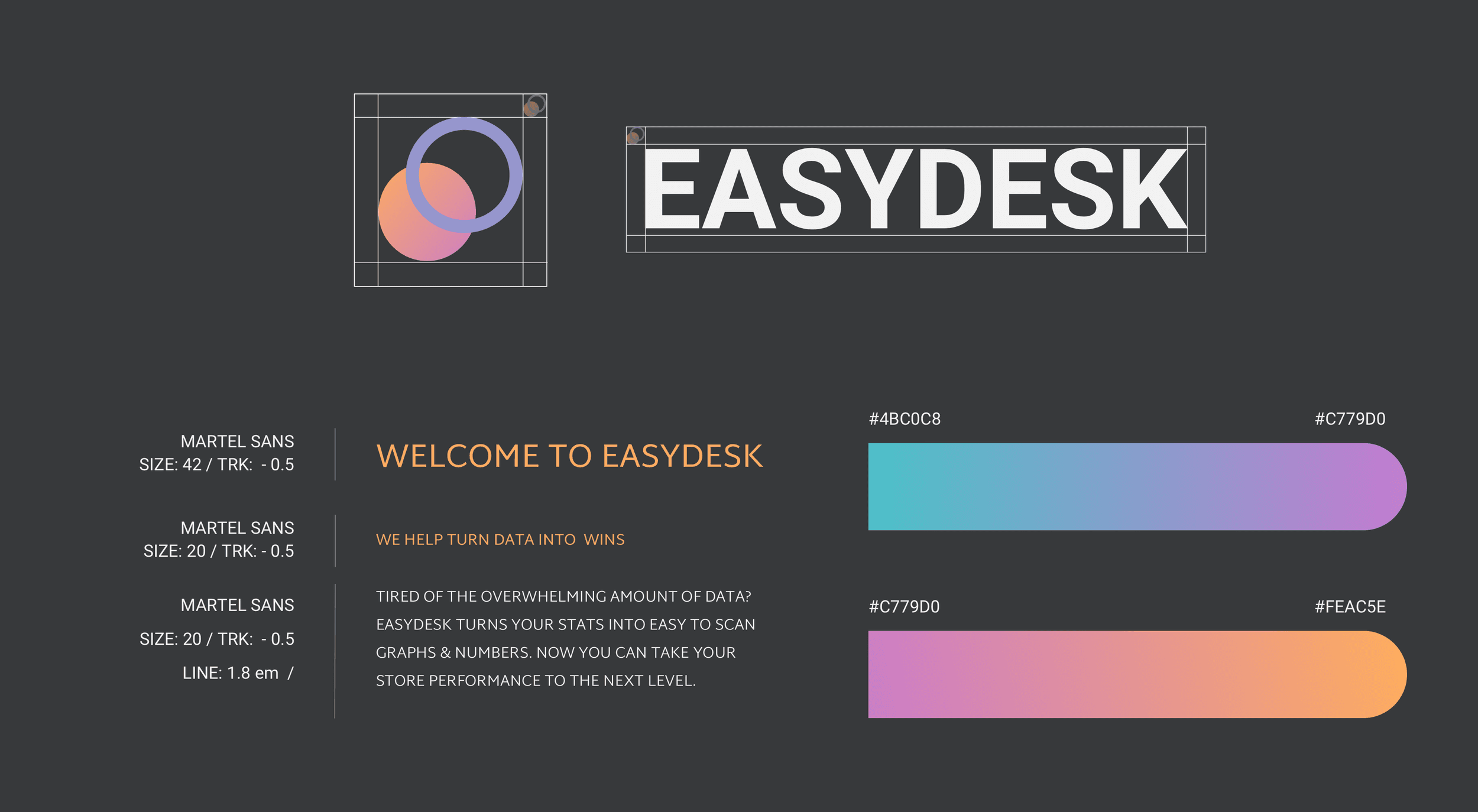
Fig. 02 - Style Tile
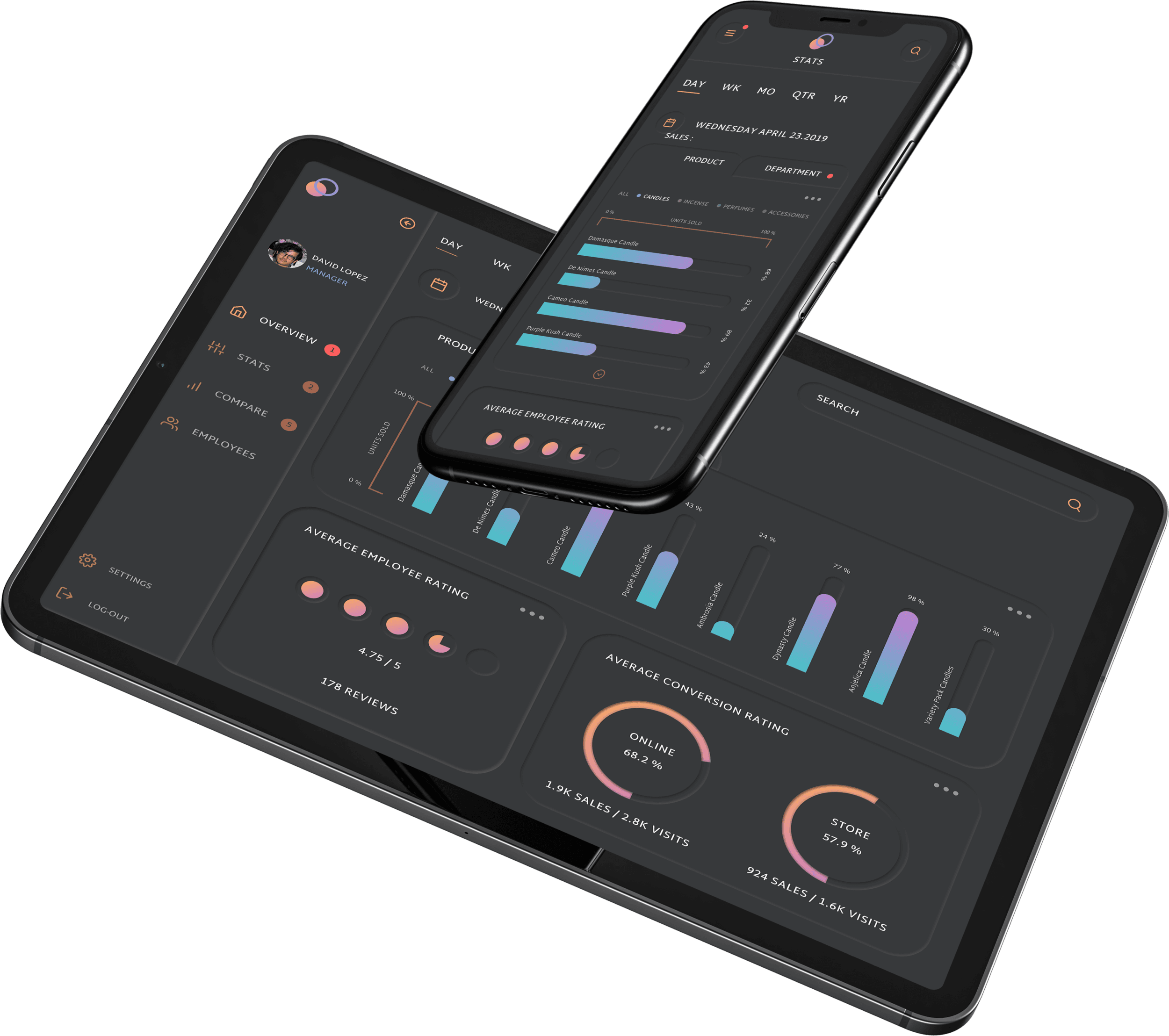
Fig. 03 - Responsive design
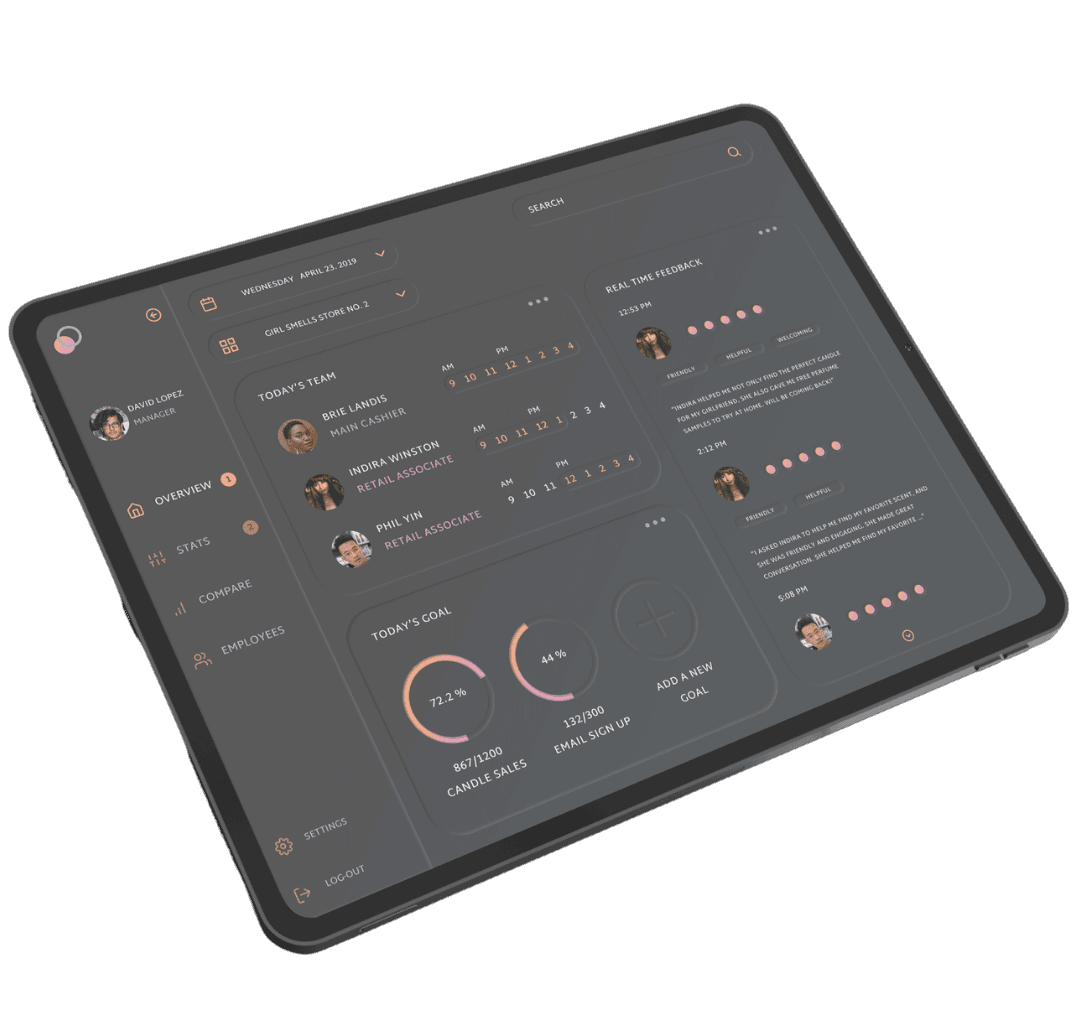
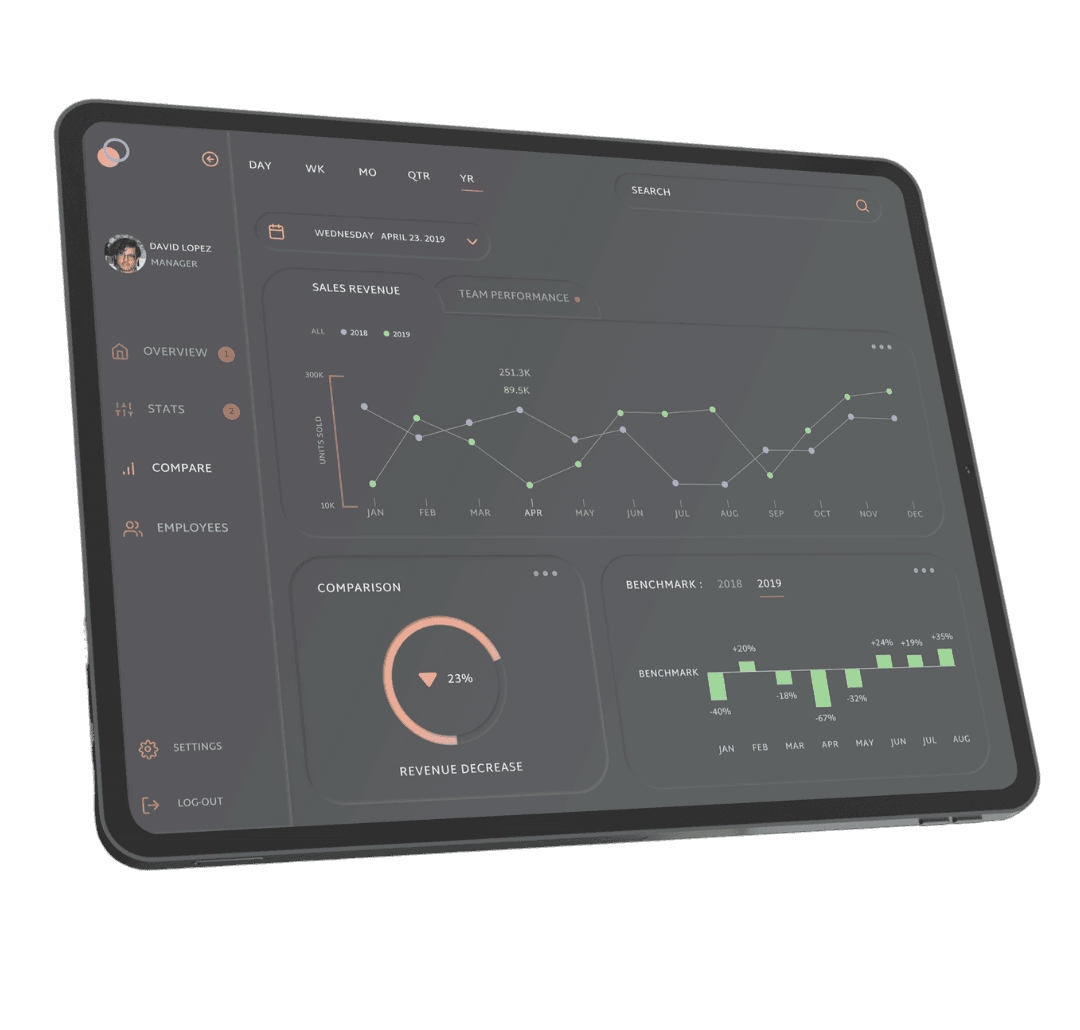
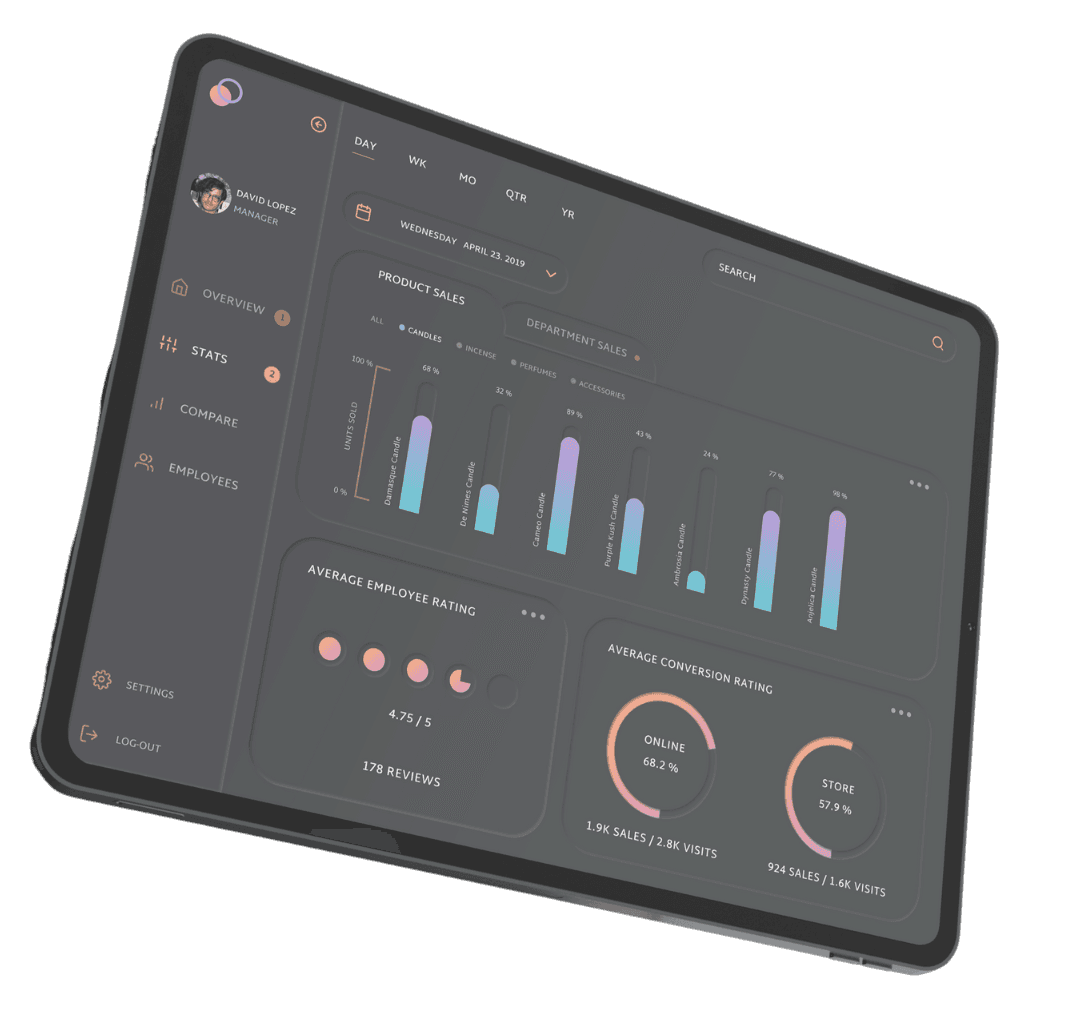
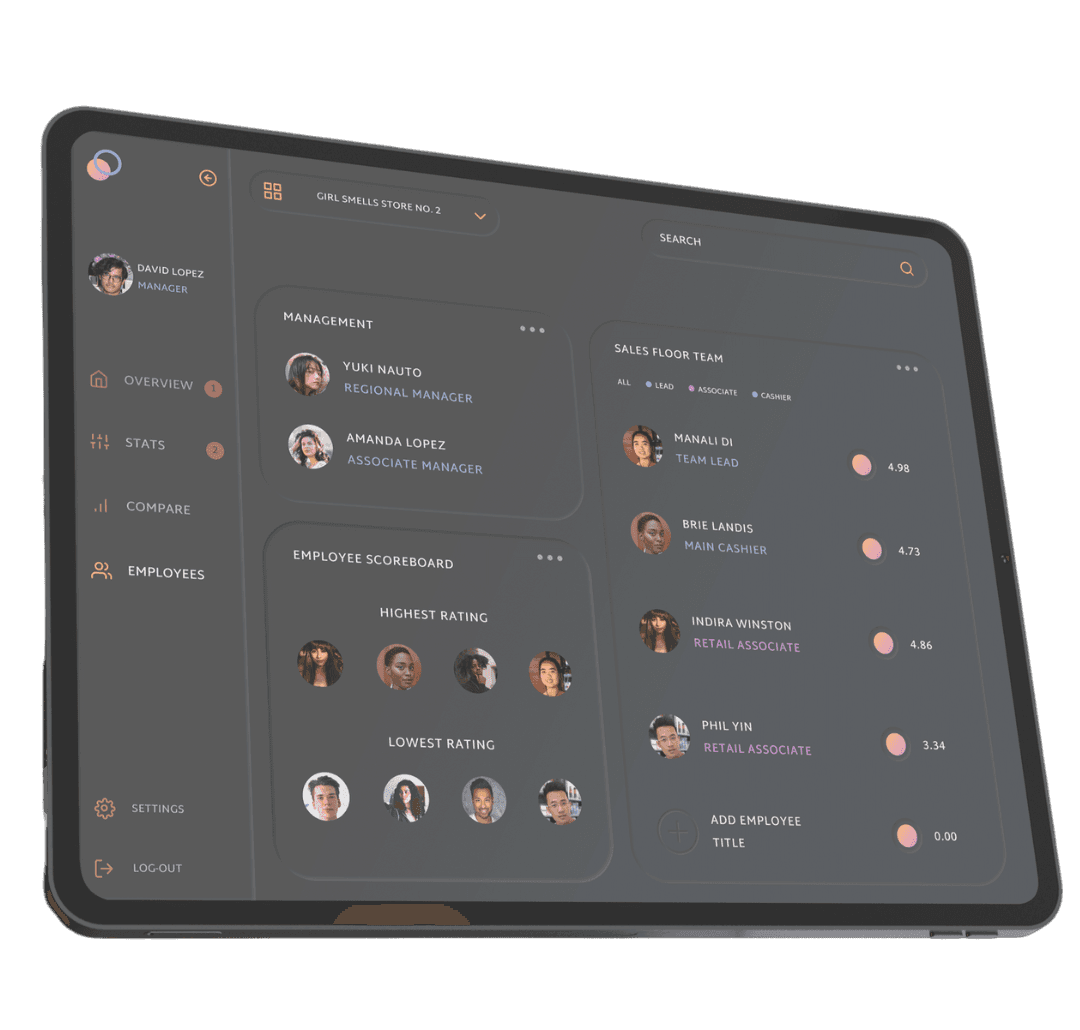
Fig. 04 - EasyDesk Screens
The conclusion
To complete our project, we ran usability tests on our prototype. The usability testing assigned two tasks to the participants: one, add a new daily goal, and two, bring up the stats for a particular day. All six users successfully navigated both tasks, scoring a 100% completion rate. Rating both tasks as extremely easy, users did not encounter any major pain points or experience frustrations. Our darker user interface paired with bright and emotive design treatments allowed for the message to reach our target audience loud and clear.